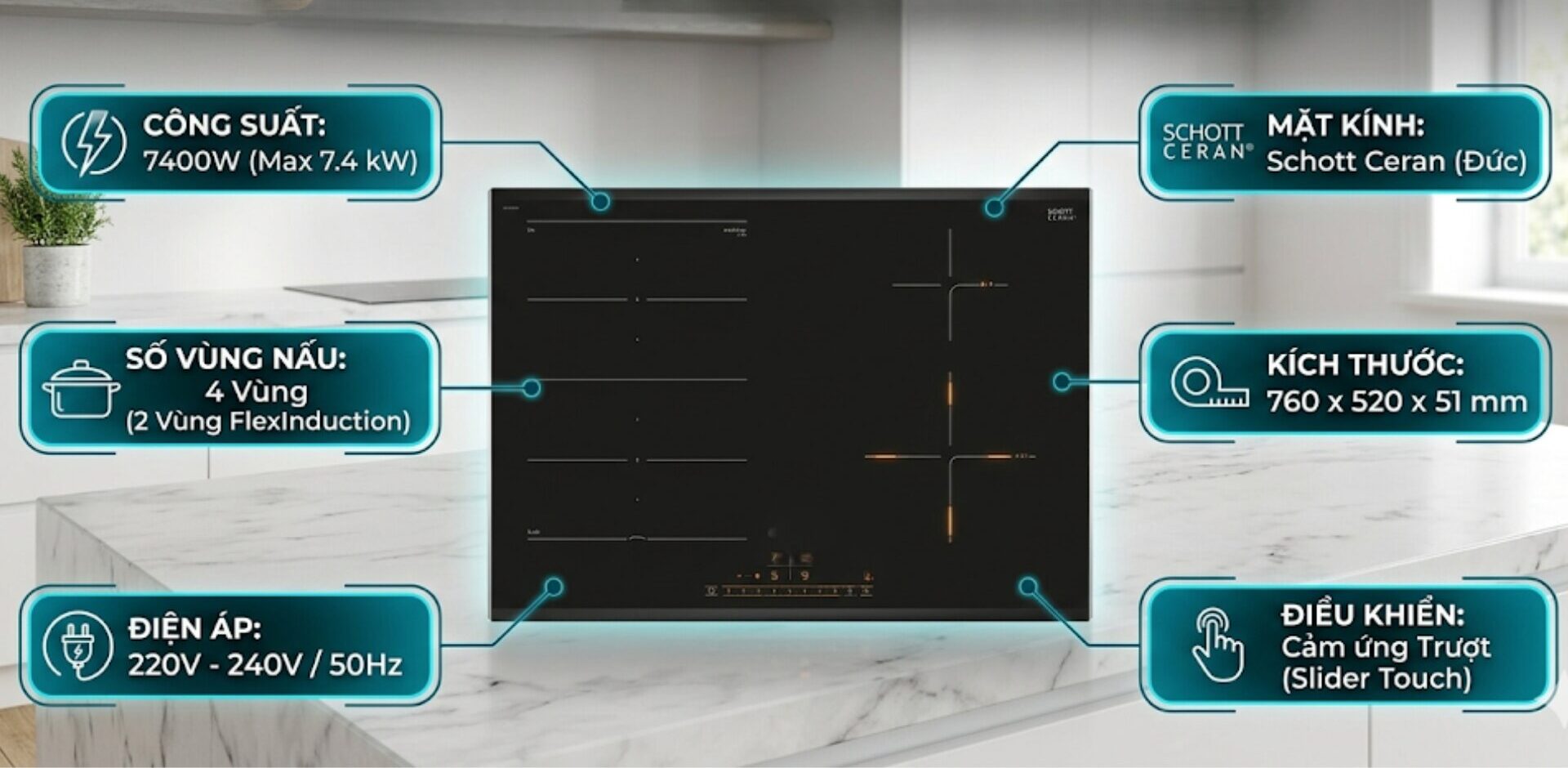
A high-quality imported German induction cooktop will help you cook deliciously, safely, and energy-efficiently. But do you know which German induction cooktops are good, and whether the cooktop you bought is a fully imported German model? Check out the experience of buying imported induction cooktops from Germany below to gain more tips and wisdom in choosing a genuine German induction cooktop! See information about Imported German Induction Cooktops.
When the induction cooktop is locked, it means that all buttons on the control panel will be disabled, and you will not be able to perform any other operations or actions. So, what is the quickest and simplest way to unlock a locked induction cooktop?
To help you immediately resolve the situation of a locked induction cooktop or infrared cooktop, here are the most detailed instructions you can refer to for quick execution.
>> See more:
- Instructions on how to turn off the timer mode of the induction cooktop
- Causes & solutions for induction cooktops leaking electricity
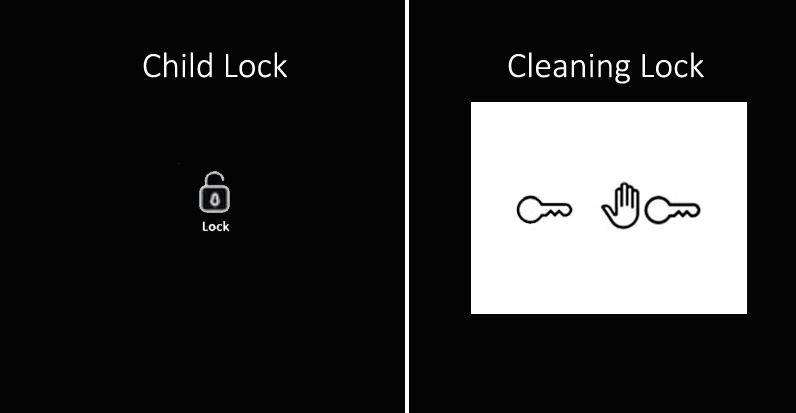
Note that most imported induction cooktops have a child safety lock function or a cleaning lock that disables the control panel; the mechanism of this safety lock feature is quite similar. Therefore, the method to unlock a locked induction cooktop below can be applied not only to Kocher induction cooktops and infrared cooktops but also to many other types of cooktops such as: how to unlock Siemens induction cooktops, Canzy, Faster,….
Instructions on how to unlock a locked induction cooktop
The lock function on the induction cooktop (usually a child safety lock button or a cleaning lock) is integrated to ensure safety while cooking. When this function is activated, it means that the entire control panel will be disabled when touched. You will not be able to perform any other actions if you do not know how to unlock the induction cooktop.
The lock button on the induction cooktop can be activated by the user. However, sometimes, the induction cooktop will automatically activate this feature to ensure absolute safety for the cook.
If you accidentally touch the lock button and cannot perform any actions to control it and do not know how to turn off the child safety lock mode of the induction cooktop. Do not rush to unplug the induction cooktop suddenly, as this will easily cause the cooktop to malfunction, reducing its lifespan. Please follow the instructions.
1 – How to unlock the induction cooktop with child lock – Child Lock
When the child safety lock feature is activated, the lock button on the induction cooktop or infrared cooktop will light up. At this point, all other buttons will be disabled, including the power button of the cooktop.
The method to unlock the induction cooktop with the child safety lock is very simple. First, identify the button with the child safety lock symbol, which has a key icon that lights up. Then, you just need to press and hold the lock button for about 4 – 10 seconds. The child safety lock will automatically turn off the light and emit a sound indicating that the button has been unlocked. Now you can use the control panel as usual.
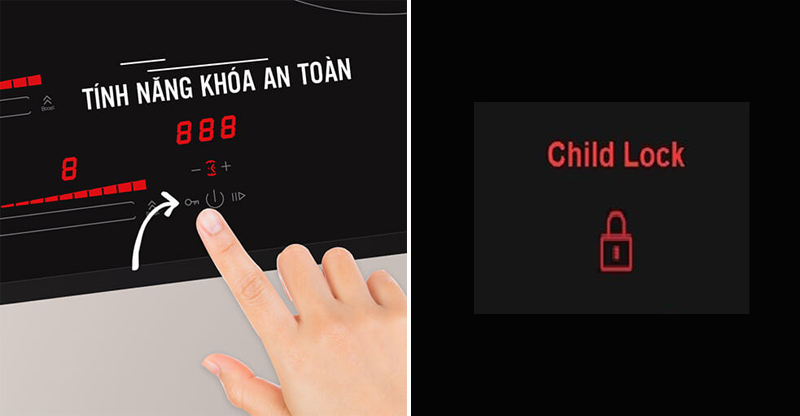
Note: Many induction cooktop products may not require holding the lock symbol for too long or even less than 10 seconds to unlock. You just need to lightly touch it to unlock the button. Therefore, you can try one of the two methods to unlock the induction cooktop to see which method applies to your induction cooktop or infrared cooktop. Moreover, some cooktops do not have a specific lock symbol. The simple method to unlock the induction cooktop below is a great tip for you:
- If your induction cooktop does not have a lock button, press the P symbol for about 3 seconds to turn off the child safety lock.
- If your cooktop has neither a lock button nor a P button, press the L symbol for about 3 seconds to turn off the induction cooktop lock.
2 – How to unlock the infrared cooktop/induction cooktop for cleaning – Cleaning Lock
It is very rare for induction cooktops, electric cooktops, or infrared cooktops to have a cleaning lock function. This function helps users lock the control panel of the cooktop for cleaning the surface without worrying about other function buttons being activated when touched.
Typically, the lock button icon will have a hand symbol; when activated, there will be a notification sound and the LED light will turn on.
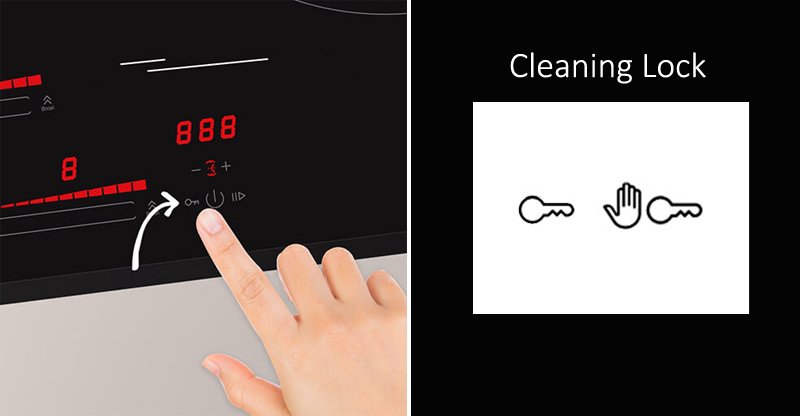
If you have activated the cleaning lock on your cooktop but have not found a way to unlock the induction cooktop, you can rest assured, as this function will usually automatically deactivate within 35 – 50 seconds. If you want this feature to be turned off before the 35 – 50 seconds are up, you can press and hold the hand symbol for 3 – 5 seconds until the LED light turns off or a notification sound is heard.
3 – Distinguishing between a locked control panel error and a hardware circuit error
Users need to clearly distinguish between the phenomenon of accidentally activating software lock modes (Child Lock/Cleaning Lock) and serious technical errors related to the power circuit.
If after you have successfully unlocked, the buttons restore normal touch but show signs of The induction cooktop still runs but does not heat, and the cooling fan is still running while the pots on the cooktop are completely cold, this is no longer an issue with the unlocking operation.
At this point, the main cause is usually due to a malfunction in the power circuit board, most commonly the situation of The induction cooktop does not emit pulses due to a faulty driver layer or a dead IGBT power transistor. When the high-frequency current cannot be transmitted to the induction coil, the device will completely lose its heating capability, and you need to contact a professional repair center immediately to measure the internal components instead of trying to operate on the glass surface.
Above are the super simple ways to unlock a locked induction cooktop, helping you quickly handle when the induction cooktop or infrared cooktop is locked. I hope this article will help you firmly grasp the methods to unlock the infrared cooktop/induction cooktop above for quick handling when the cooktop is accidentally locked.