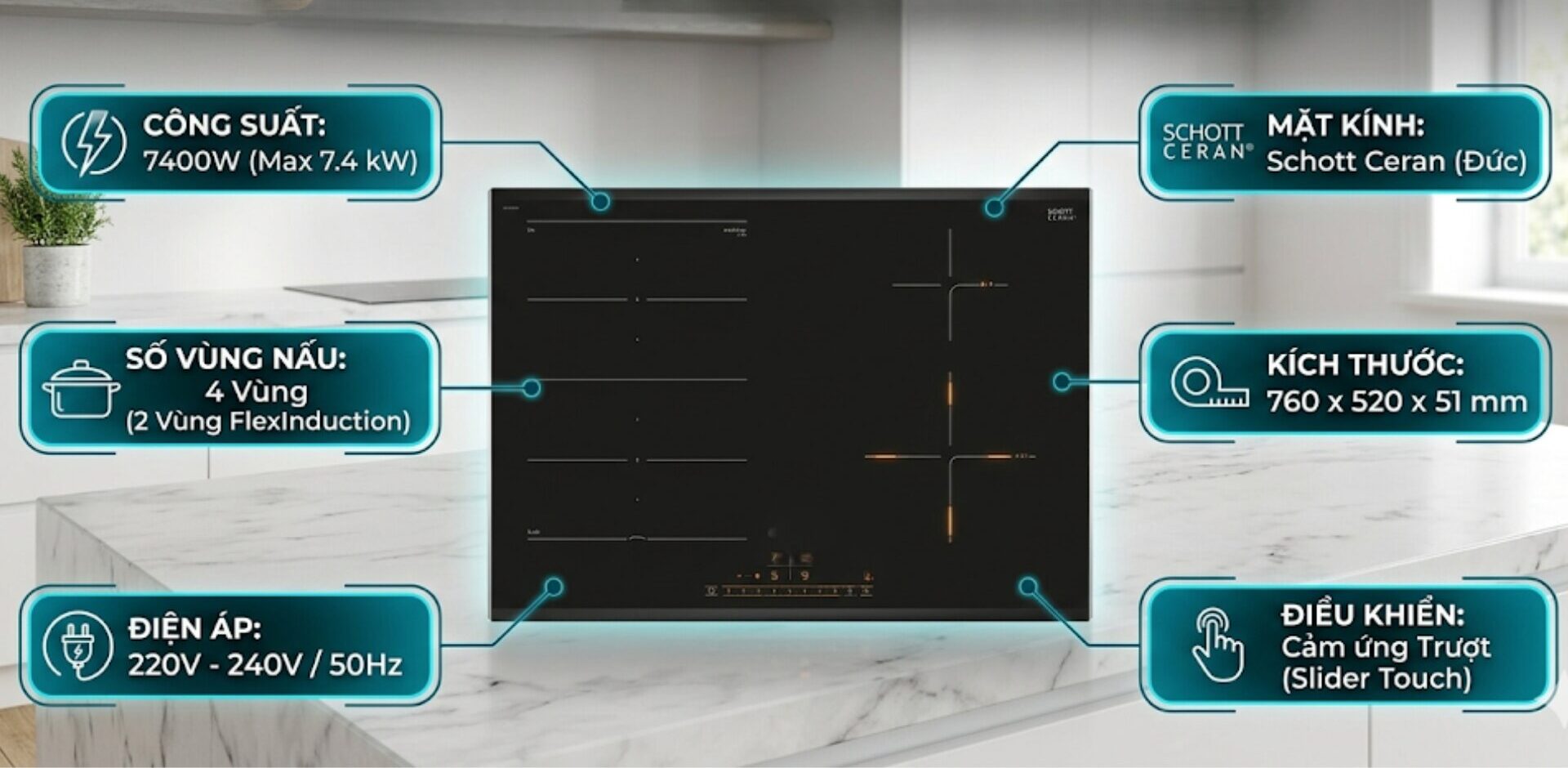
How to turn off the timer mode of the induction cooker before the time is up? Can this timer mode be turned off before the deadline?
If you use the cooking timer function of the induction cooker but set it for too long, for example, up to 30 minutes. But when cooking reaches the 20th minute, you check and see that the food is cooked and does not need to be cooked any longer. You want to turn off the timer mode of the induction cooker to cook another dish but do not know how to do it?
Or simply, you just want to turn off the timer mode to switch to another cooking mode but still do not know how to turn off the induction cooker timer correctly? How to stop this cooking time programming?
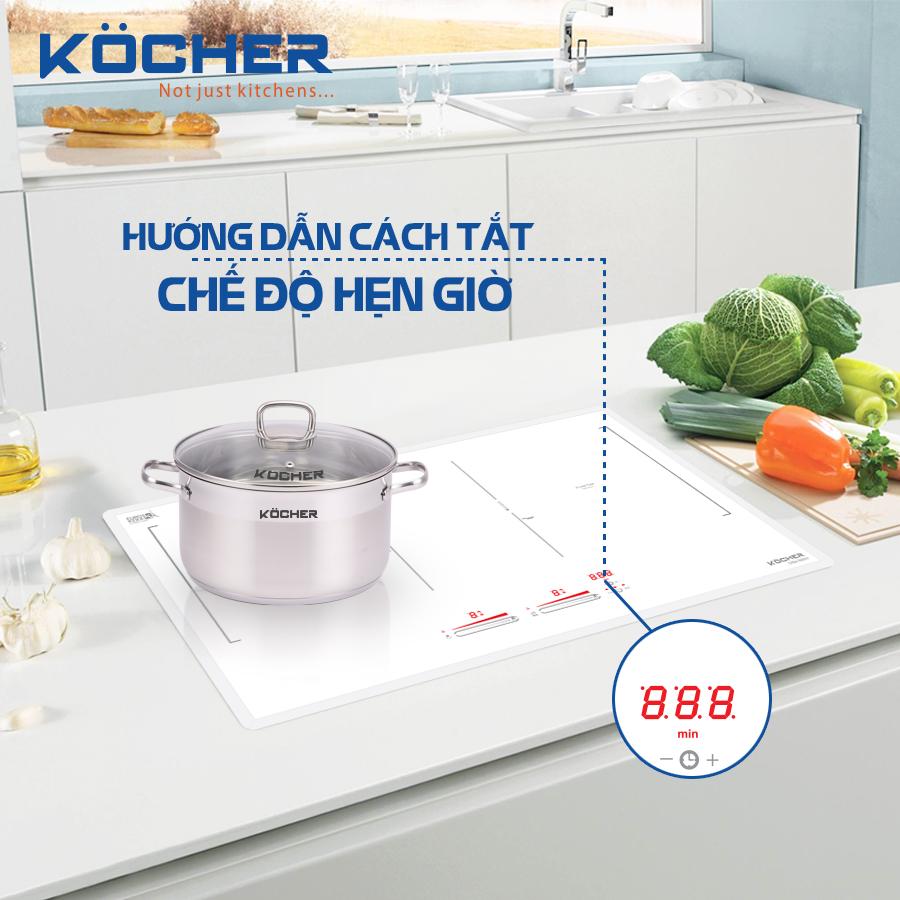
How to turn off the timer mode of the induction cooker before the set time is up
Currently, not only imported induction cookers but most modern induction cookers provide a cooking timer feature from 1 minute to 99 minutes. However, not everyone is familiar with how to use the timer mode of the induction cooker.
If you already know that the timer function allows users to set cooking times, pre-program temperatures, and cooking times within a certain period. After that, the cooker will turn off automatically without needing to stand by it. However, few people know how to turn off the timer mode of the induction cooker before the set time is up.
Many people set the timer for too long and want to turn it off early so that the food does not overcook or want to turn it off early to cook a new dish without knowing how to do it. They end up unplugging the induction cooker abruptly, cutting off the power, causing the cooker to shut down completely. This is absolutely not allowed, as doing so frequently will cause the internal power supply system of the induction cooker to malfunction, interrupting the power circuit and severely affecting the lifespan of the device.
Please apply the steps to cancel the timer mode of the induction cooker before the set time is up as follows:
Step 1: To turn off the timer mode of the induction cooker, press the timer icon on the induction cooker, the timer icon may look like a clock. You need to double-click twice in a row for this icon to light up so that the timer function of the induction cooker can be adjusted. (Note: You can also press the timer icon once if it is already lit, depending on the type of cooker)
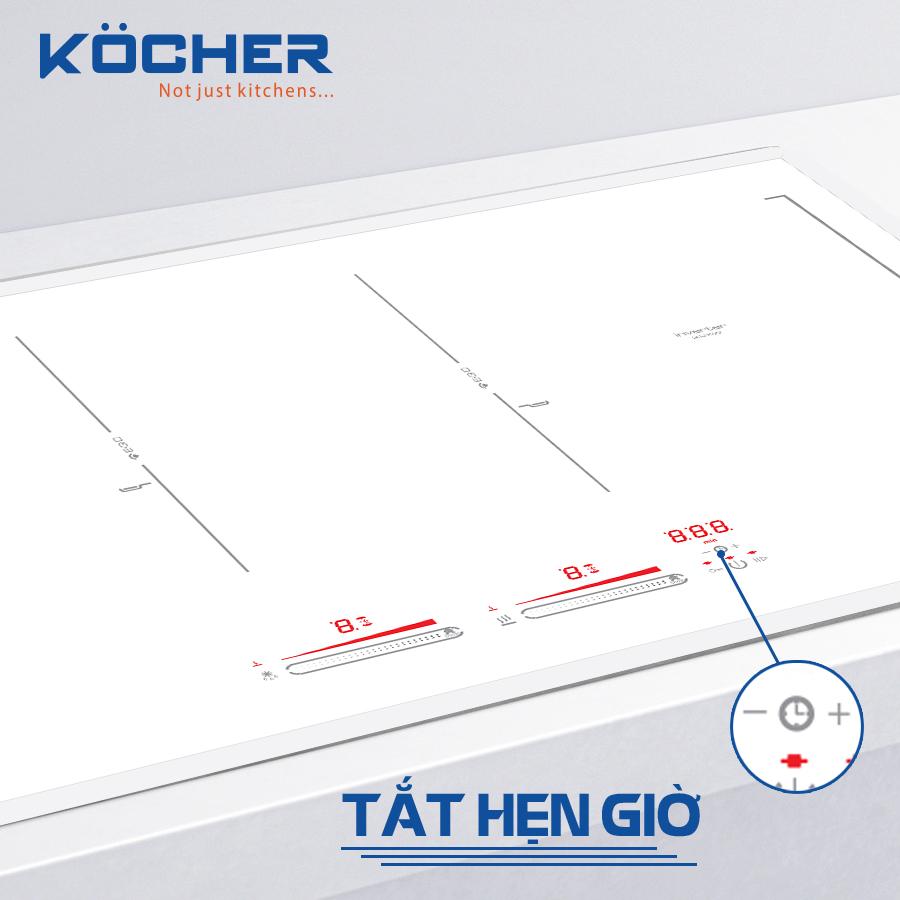
Step 2: Press on the control panel to set the timer back to zero [0]. Or slide on the control panel to reduce the timer if you do not want to turn it off completely. If you set about 30 minutes, you may need to press or slide multiple times for the countdown to return to 0.
Step 3: When the control panel displays the timer mode back to 0, the cooker will have a light indicator or beep signal and then turn off automatically. Thus, you have successfully canceled the timer mode of the induction cooker.
With just 3 steps, you can turn off the timer mode of the induction cooker. If you perform the operation quickly, you only take 1 minute for these actions. Instead of being flustered not knowing how to handle it, unplugging or abruptly turning off the cooker causing damage or reducing the lifespan of the induction cooker.
Take the time to read our guide on how to turn off the timer mode of the induction cooker and share this simple method with friends for more convenient cooking.
You should also note that the way to turn off the timer mode of each cooker is different; the steps above can be applied to Kocher cookers and many types of cookers with similar touch control panels and the same clock icon. There are many different types of cookers that will have different icons and ways to reduce/stop the timer.
For example, if you ask us whether the way to turn off the timer mode of the Media induction cooker is the same? Of course, the Media induction cooker will have a different way to stop the timer mode. Because many products of this brand have mechanical push buttons and the timer icon is not the same. Please refer to the Media induction cooker timer off guide for better execution!
Notes when using the timer function of the induction cooker
It is very convenient when the induction cooker has a cooking timer function, allowing you to set pre-programmed times and cooking temperatures suitable for the dish without needing to stand by and supervise. This gives women more comfort in cooking and more time to take care of their families and themselves.
However, do you know how to use this function most effectively, efficiently, and conveniently? Here are a few tips from us on how to use, pause, and turn off the timer mode of the induction cooker simply and effectively.
- You need to check if your induction cooker allows setting the timer mode independently for each cooking zone. Can the other cooking zones still cook normally?
- Check the minimum and maximum time when setting the timer of the cooker. Typically, cookers will allow setting the automatic shut-off time from 1 to 99 minutes. Some cookers may have shorter times.
- Classify food when setting the timer. You should also choose the most appropriate time to cook the dish, avoiding the hassle of having to cancel the timer mode of the induction cooker.
- During cooking, if you suddenly lift the pot off the cooking zone, the device’s protection system will immediately issue a warning error e0 induction cooker with the letter E or a beeping sound when there is no pot on the cooker. This does not mean that the cooker has turned off the timer mode by itself, but just a warning error. You need to perform the steps to cancel the cooking timer mode as above before lifting the pot off the cooker.
- For frying, sautéing, and stir-frying dishes. If the cooker turns off while cooking, it may be due to the automatic feature that has turned off due to overheating. This happens when your cooking exceeds the maximum cooking time limit. The cooking zone overheats. You need to turn off the cooker to let it cool down a bit and continue after a few minutes.
Turning off the timer mode of the induction cooker is really simple, right? Be a wise housewife, skillfully using modern appliances to cook delicious meals, protecting your cooker – your most powerful tool. Especially, after completing the timer cycle or actively turning off the cooker, the Induction cooker displaying H on the screen is a warning sign that the cooking zone still has a large amount of residual heat (Residual Heat). At this time, you absolutely must not touch the glass surface to avoid the risk of burns. We hope that the above sharing from Kocher will help women know how to simply cancel the timer mode of the induction cooker, without needing to resort to those harmful emergency methods anymore. Kocher is proud to be the pioneer in Vietnam bringing German technology into induction cooker products.